What Is a Direct Thermal Printer?
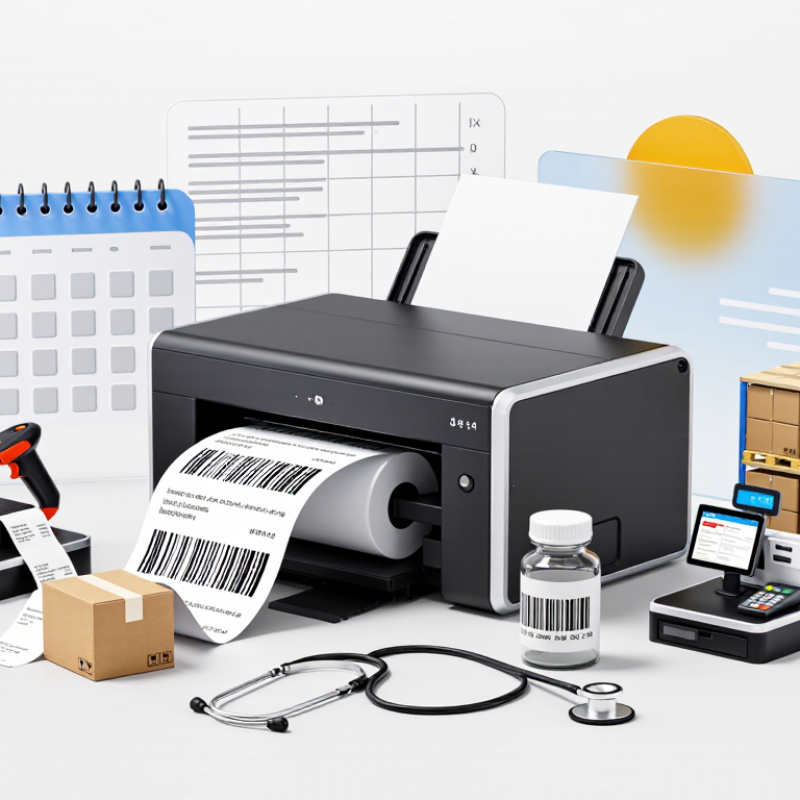
A direct thermal printer creates an image by heating specially coated paper. Its printhead touches the paper, darkening precise spots to form text, barcodes, or small graphics. No ink. No ribbon. That simple path makes the technology common in shipping desks, checkout counters, warehouses, and healthcare settings. A label emerges warm and crisp, ready to be scanned or attached to a parcel.
Industry reports help explain where this printer fits. Grand View Research’s Thermal Printing Market analysis examines applications such as barcode labeling and point-of-sale printing, while Smithers’ label-printing market research tracks changing demand for printed labels. These reports cover broader markets, not just direct thermal devices, so their figures should not be treated as a direct-thermal forecast. The practical trade-off is easier to see at the workbench: direct thermal systems can reduce consumable changes, but heat, sunlight, friction, and time may fade the image. That matters when labels must remain readable during storage or transport. Printer Direct Thermal is sometimes used as a search phrase, but the standard term is “direct thermal printer.” The distinction from thermal transfer printing is important: thermal transfer uses a ribbon, while direct thermal printing relies on heat-sensitive stock. It is a useful technology, not a universal answer. Choosing one requires matching label life, environment, print volume, and scanner needs. A quick sample test can reveal issues that a specification sheet misses.
What Defines a Direct Thermal Printer and Its Ribbon-Free Printing Method?
A direct thermal printer creates images by applying controlled heat to specially coated paper. Its printhead contains many tiny heating elements. As the paper passes beneath them, selected elements warm the coating and trigger a visible chemical change. Dark marks form where heat is applied, producing text, barcodes, or simple graphics without liquid ink. No ribbon is needed.
Because the image forms directly on the paper, the printer needs no ink cartridge or transfer ribbon. The paper itself is the consumable and must have a heat-sensitive surface. Inside the device, a roller moves the paper past the printhead while electronics control which dots heat and for how long. The mechanism is compact. It is often used for receipts, shipping labels, and other short-term labels, though it is not ideal for every record.
Heat, sunlight, friction, and some chemicals can darken or fade the image over time. A label left on a warm dashboard, for example, may become difficult to scan. In practice, setup is not always effortless: print speed, printhead pressure, and paper quality can all affect darkness. A faint barcode may come from a small mismatch rather than a failed printer. That detail is easy to overlook.
What Is a Direct Thermal Printer? — What Defines a Direct Thermal Printer and Its Ribbon-Free Printing Method?
| Dimension |
Details |
| Definition |
A direct thermal printer creates an image by applying heat directly to specially coated, heat-sensitive media. It does not use an ink cartridge, toner, or transfer ribbon. |
| How printing works |
Small heating elements in the printhead contact the thermal coating. Heated areas darken, forming text, barcodes, or graphics as the media moves through the printer. |
| Required media |
Direct thermal paper or labels with a heat-sensitive coating are required. Ordinary uncoated paper will not produce a normal direct thermal image. |
| Ribbon use |
No ribbon is needed. This simplifies loading and removes ribbon purchasing and replacement from routine operation. |
| Common uses |
Typical uses include receipts, shipping and logistics labels, queue tickets, event tickets, and short-term product or inventory labels. |
| Image durability |
Print can fade or darken when exposed to heat, sunlight, friction, or certain chemicals. It is generally less suitable than thermal-transfer printing for long-term or harsh-environment labeling. |
| Operating costs |
With no ribbon or ink to replace, consumables are straightforward. However, direct thermal media may cost more than comparable uncoated paper, depending on size and grade. |
| Maintenance considerations |
Keeping the printhead and media path clean helps maintain print quality. The printhead is a wear component and may eventually need replacement. |
| Print resolution |
Available resolutions vary by printer model. Common thermal-printer resolutions include 203 and 300 dots per inch (dpi); the appropriate choice depends on the required text and barcode detail. |
| Best suited for |
Applications that need simple, fast printing and labels or receipts with a relatively short service life, especially when ribbon-free operation is preferred. |
How Heat-Sensitive Media Forms Images Without Ink or Toner
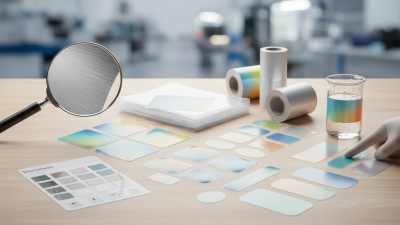
A direct thermal printer creates an image by applying heat to specially coated paper or label stock. A row of tiny heating elements in the printhead warms selected points as the media moves past. The coating darkens where heat is applied, forming letters, barcodes, or simple graphics. No ink or toner is needed. No cartridge is involved.
The process is quick and mechanically simple. For example, a checkout receipt emerges as the printer heats narrow bands across the paper, building each line from small dots. The printer’s settings and the media’s coating both affect the result. If they do not match well, text may look faint or barcodes may print unevenly. It sounds straightforward, but the paper matters more than many users expect.
Direct thermal output can be useful for receipts, queue tickets, and labels that do not need to last for years. Its main limitation is durability: heat, sunlight, and rubbing can make images fade or darken over time. Storage conditions matter. A label left on a warm dashboard may age faster than one kept indoors. This is not always obvious during printing, so testing the actual media under everyday conditions can reveal problems before a full roll is used.
Direct Thermal Printhead Resolution
Common nominal resolutions, measured in dots per inch (dpi)
A direct thermal printhead applies controlled heat to heat-sensitive media, darkening selected areas to form an image without ink or toner. Higher dpi means more addressable dots across each inch; the nominal dot pitches are about 125 micrometers at 203 dpi and 85 micrometers at 300 dpi.
Key Components: Thermal Printhead, Platen Roller, and Media Sensor
A direct thermal printer makes an image by applying heat to specially coated paper or labels. It does not need ink or a ribbon. Inside, three parts work together: the thermal printhead, platen roller, and media sensor. Each has a small job, but a fault in one can spoil the whole label.
The thermal printhead contains many tiny heating elements. As the media passes beneath them, selected elements heat the coating and form dark dots. The platen roller presses the media evenly against the printhead and moves it through the printer. Dust, adhesive residue, or uneven pressure can cause faint lines or patchy text. The media sensor detects gaps, notches, or marks, helping the printer locate each label. Sensor settings that do not match the stock may cause skipped labels or printing in the wrong position. Small setup details matter.
Tips: Keep the printhead clean with an appropriate cleaning method, and let it cool before handling. Load media straight, then check that the sensor aligns with the label gap or mark. If output still drifts, inspect the media path and settings before changing several things at once. That last step is easy to overlook.
Common Printhead Resolutions: 203 dpi and 300 dpi
What Is a Direct Thermal Printer?
Common Printhead Resolutions: 203 dpi and 300 dpi
A direct thermal printer creates images by heating coated label stock; it does not use an ink ribbon. Its printhead resolution affects how finely it can place dots. At 203 dpi, dots are about 0.125 mm apart. At 300 dpi, spacing falls to about 0.085 mm. That difference matters on small labels, where a narrow barcode or tiny text can lose definition.
GS1 General Specifications lists a nominal EAN-13 barcode X-dimension of 0.330 mm, with a minimum of 0.264 mm. At that minimum width, a 203 dpi printer has only about two dots across each narrow bar; 300 dpi provides about three. More dots can help reproduce compact symbols and fine lettering, though they do not guarantee a readable label. The numbers are useful, but real stock can be less forgiving.
Print quality also depends on the label surface, printhead condition, and heat settings. A dusty platen or uneven pressure can soften edges, even at 300 dpi. ISO/IEC 15416 evaluates linear barcode quality using factors such as reflectance and defects, not resolution alone. For everyday shipping labels, 203 dpi may be adequate; dense product labels often benefit from 300 dpi. Still, test the actual label and scanner combination. Small differences can surprise you.
Typical Uses and Trade-Offs: Shipping Labels, Receipts, and Image Longevity
A direct thermal printer uses heat to darken coated paper, so it needs no ink or ribbon. That makes it useful at busy packing benches, checkout counters, and dispatch desks. The U.S. Census Bureau estimated 2024 U.S. e-commerce sales at $1.1926 trillion, up 8.1% from 2023 and equal to 16.1% of retail sales. This figure measures online sales, not label volume, but it shows the scale of activity that relies on clear shipping information. No ribbon required. A crisp label can be printed quickly, then applied to a box without waiting for ink to dry.
The trade-off is image life. Heat, sunlight, friction, and contact with some chemicals can darken or fade a direct thermal image. A parcel label usually only needs to remain readable through sorting and delivery; a receipt kept for years has a different job. Not forever. I’d be cautious about treating a sharp print as a durable record. Store important receipts away from heat and light, and consider a more stable printing method when long-term legibility matters. Even ordinary handling counts: a receipt folded into a warm wallet may not age as well as expected.